Pick your days off OOOT live.
One 28-day board for every watch and every DP. Officers place their RDO's from their phones, everyone sees every pick the moment it lands, and the board flags any day that drops below minimum staffing.
Tap, drag, hold. That's the whole lesson.
If you can use a phone, you can pick your RDO's. Nobody needs a training class, and nobody has to pass a sheet around the briefing room.
Tap a day
An RDO drops in. Tap it again for training, vacation or military leave.
Drag it
Changed your mind? Slide the RDO to another open day.
Hold to erase
Press and hold for a moment and the day clears.
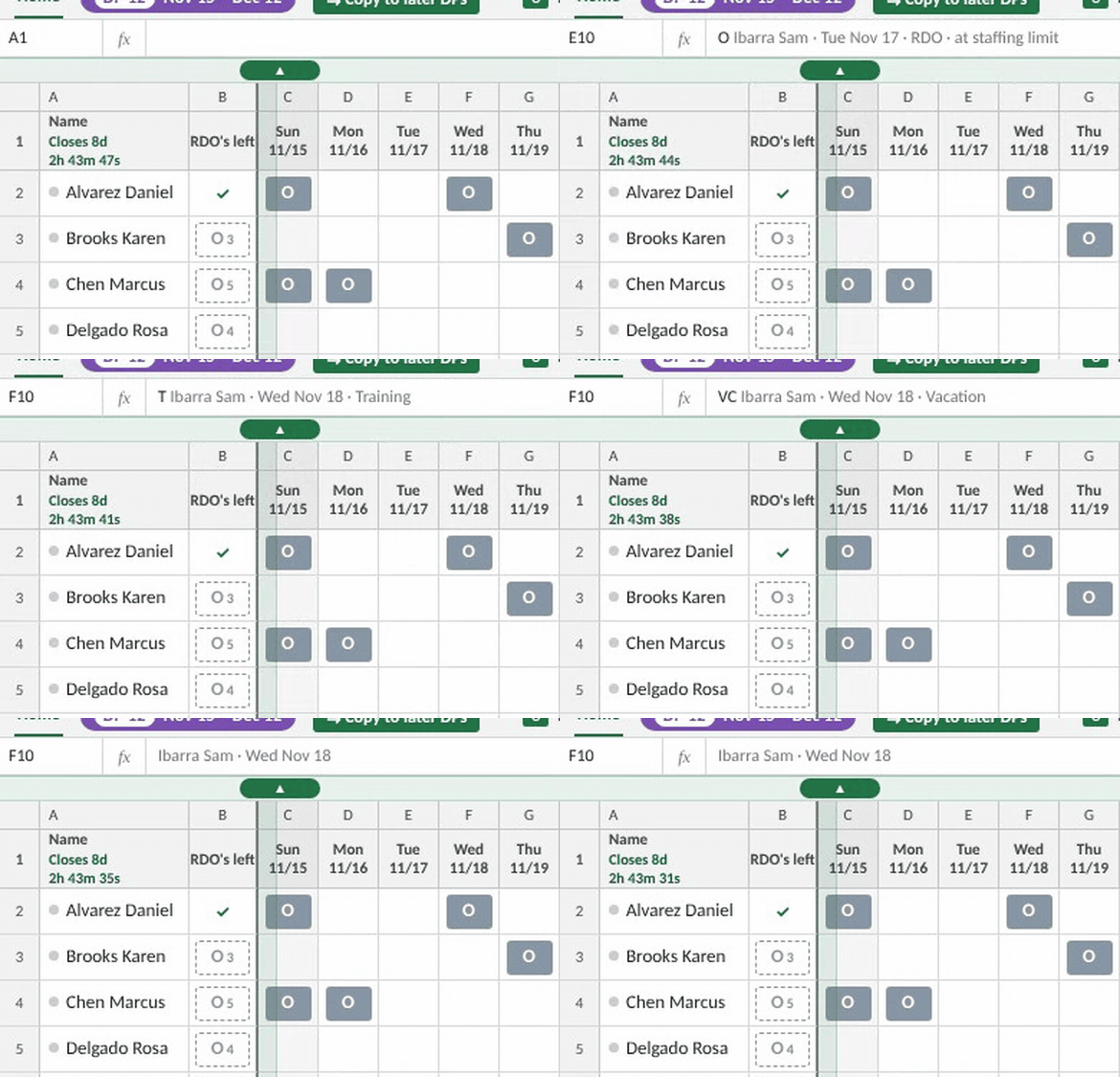
The board knows your staffing.
Each day has a minimum. As people pick, the least-senior RDO's on that day change color, so everyone can see exactly who would be short before anyone files a request.
A DP calendar that never runs out.
DPs line up 18 months ahead, colored by watch bid period, each with a live countdown to its 1700 deadline, 14 days before the DP starts. Old DPs clear themselves, so nobody has to set up next year.

Tap a bid period to open or close it. The DP open for bid is marked, and closed DPs are locked.
Place them once. Copy them forward.
Officers who keep the same pattern copy their RDO's to the rest of the bid period, or to every open DP, in one tap. Restricted days and days a Time Manager set are skipped automatically.
Four access levels. Each one sees only what it should.
Every person signs in with a personal PIN. Pick a role to see the experience from their side.
Officer
Picks their own RDO's from their phone while the DP is open. Sees the officer boards.
Sergeant
Picks their own row on the sergeant board and can watch every officer board live.
Time Manager
Runs their assigned watches: leave, minimums, rosters, seniority, PINs, windows and export.
Admin
Everything, plus Time Manager accounts, holiday edits and the bad PIN log.
Built for the way a watch actually bids.
Real time for everyone
Picks, changes and drag previews show on every open screen instantly. No refresh button.
Most senior first
Board order is seniority order. When a day runs short, the least-senior RDO's turn red.
Turn-by-turn after close
Time Managers open a personal window for one officer. During it, that officer can move only their red RDO's.
Export to Excel
One click lays out the board for 11×17 printing, with colors and daily totals.
Made for one hand
Pinch to zoom, fold the toolbars away, or turn sideways to see all 28 days.
Nothing to install
Runs in any browser on Cloudflare's network. No servers, no app store, no updates to push.
See it on your own roster.
Send us your watch list and we'll set up a live demo board you can try with your own people.