Run the watch from one screen.
Time Managers keep their assigned watches in shape: entering leave, setting minimums, keeping rosters and seniority current, resetting PINs and opening windows after the close.
Edit all
Turn on Edit all and tap any cell on your boards to enter training, vacation or military leave. Tap a day's minimum to change it, restrict the day, or mark the whole watch for training. Days a Time Manager sets are locked from officers.
Move people between watches
When someone changes watch, drag their name onto the new watch's tab and choose their seniority spot. Their days and PIN go with them, and if they have the board open, it switches over without asking them to sign in again.
What a Time Manager can do
- Enter leave on any rowT, VC and ML on any day of their watches. Officers can't change them.
- Set minimums and restrictionsPer day, per DP, or as a default for later DPs.
- Import rosters from ExcelPaste or upload a list. Seniority is the order of the list.
- Keep seniority currentMove people up or down, or to an exact position.
- Add, remove and transfer peopleMoves keep every DP's picks with the person.
- Reset a PINGive a temporary PIN. The person sets their own at next sign-in.
- Open selection windowsA personal window for one person after the close, red RDO's only.
- Lock a boardFreeze a board while you sort something out.
- Edit the last two closed DPsFix history without reopening the DP to officers.
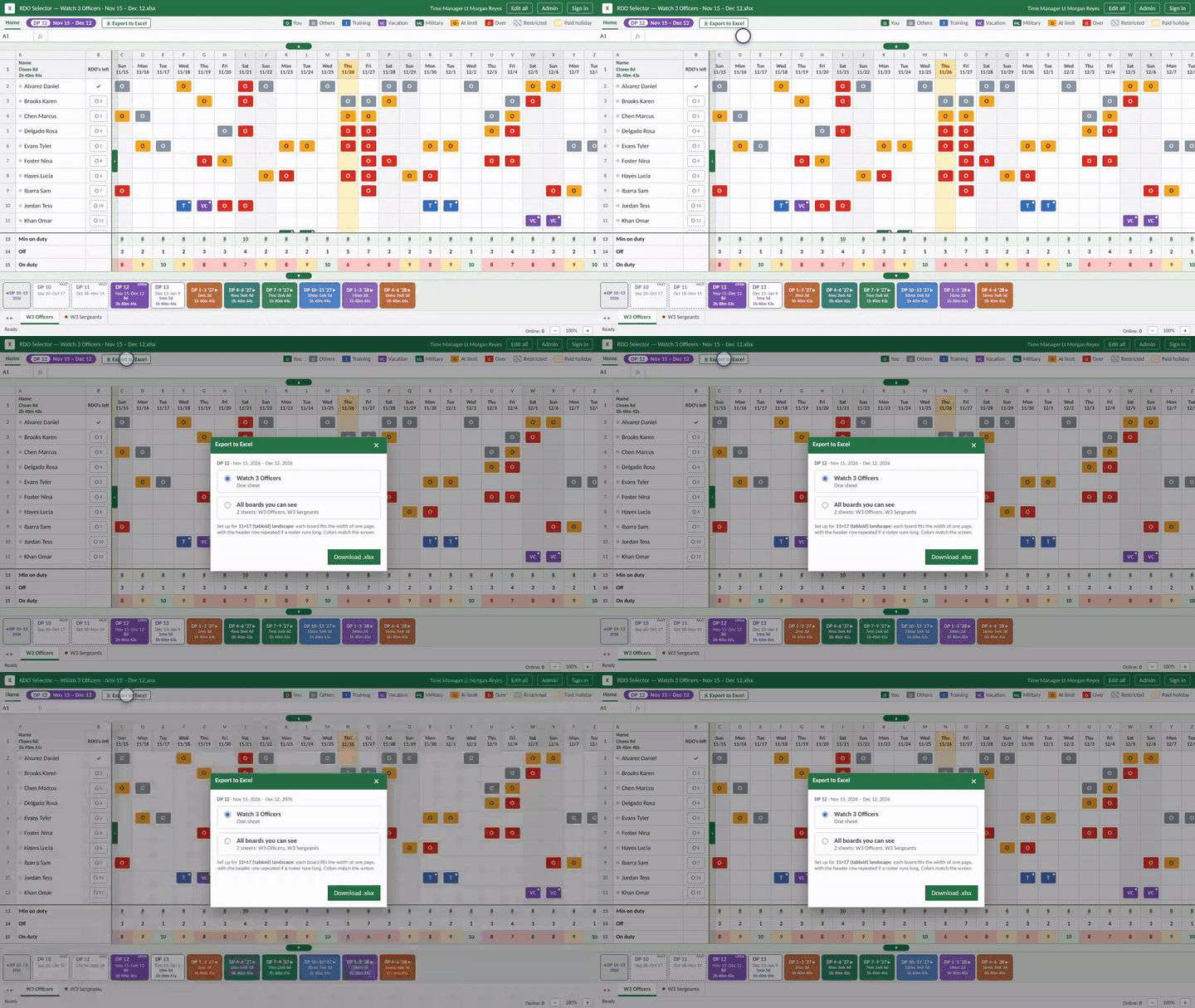
- Export to ExcelOne board or all their boards, ready for 11×17.
Export to Excel
Pick the board on screen or every board you manage. The file opens in Excel laid out for 11×17 landscape, with the chip colors, daily totals and minimums. Holiday stripes stay off the printout.
Scoped to their watches
A Time Manager is assigned one or more watches and can only change those boards. They can still move a person from their watch to any other watch.
Their own sign-in
Time Managers sign in with their own PIN, separate from any officer or sergeant account, and the app shows their name in the title bar.
Next, see what the next level can do.
Admin view